Rename Tabs
Rename Tab: This video contains how to rename a tab in AIV.
-
Rename Tab allows the user to change the name of the tab from the available tabs in the existing dashboard.
-
To Rename Tab follow the steps below:-
-
Dashboard must in edit mode to rename the tab.
-
In the Edit mode a user first activates the tab which he wants to rename.
-
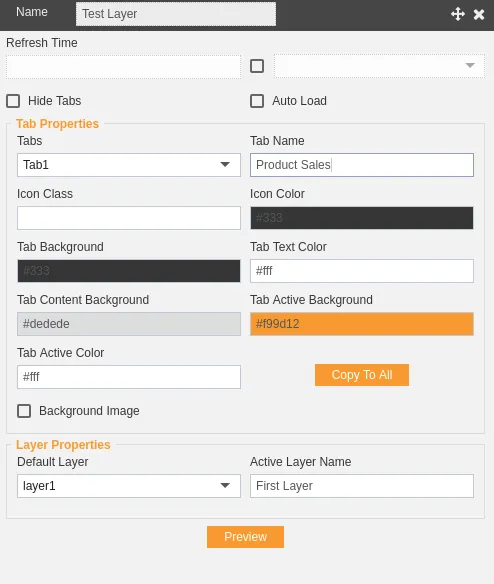
In this case we will rename Tab1 for Product Sales.
-
Click on near the tab to go to the tab settings as follows:-
-
Change the tab name as shown in the figure above.
-
Click on Click on the button to finally rename the tab.
-
In this manner, a user can rename a tab in the AIV application.