Introduction
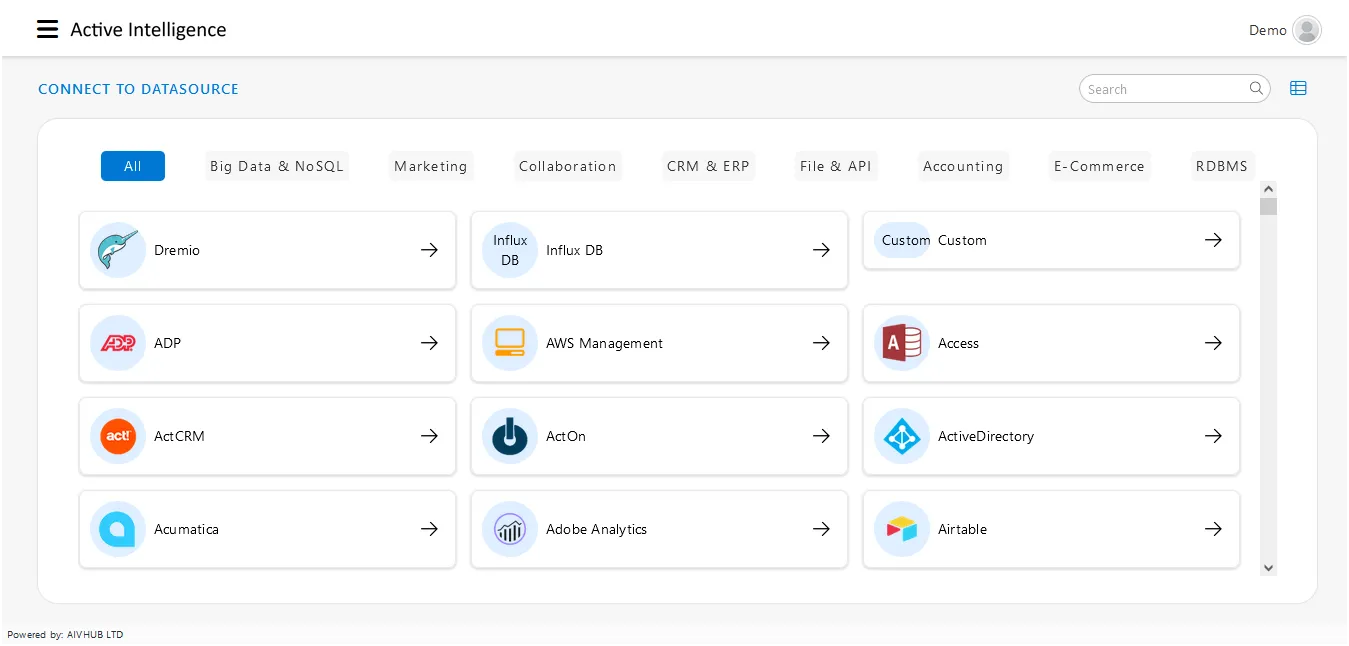
The Datasource section within the Master Data category enables users to create and manage connections to various data sources. These datasources act as connectors to different databases and systems, allowing users to retrieve and work with diverse datasets.
What is a Datasource?
The Datasource tab in the Masterdata section is crucial for creating and managing datasources. It enables users to connect to various data repositories, allowing seamless integration of external data into the AIV environment for analysis and reporting.
Supported options include traditional databases like MySQL, Oracle, MSSQL, and PostgreSQL, as well as advanced sources like BigQuery, OLAP, NoSQL databases, flat files, and custom sources.

Key functionalities and features of the Datasource section
-
Creation of Datasources: Users can create datasources by selecting from various metadata options, including MySQL, Oracle, MSSQL, and PostgreSQL. Additionally, they can opt for advanced options like BigQuery, OLAP, NoSQL, flat files, and custom sources, offering flexibility and ensuring compatibility with a wide range of data repositories.
-
Data Source Mapping: This feature is accessible to users with administrator privileges and enables the mapping of datasources, allowing them to be shared across multiple users, fostering collaboration and improving data accessibility.
-
Diverse Metadata Support: AIV supports a wide range of metadata types, ensuring compatibility with various databases and systems. Users can select the appropriate metadata options based on their specific data sources.
-
Data Source Preview: Users can preview datasources to examine their structure and content before integrating them into AIV. This feature helps in making informed decisions about dataset creation and utilization.
-
Establishing Connections: Users can establish connections to various data repositories through the Datasource section, forming the foundation for creating datasets and conducting analyses within the AIV platform.
Objectives
To understand datasources and explore their role as structured repositories or connections that provide access to various datasets, facilitating efficient retrieval, management, and utilization of information within the AIV application.
The Datasource section of the AIV application supports the following external database management systems
 |  |  |  |  |
 |  |  |  |  |
 |  |  |  |  |
 |  |  |  |  |
 |  |  |  |  |
 |  |  |  |  |
 |  |  |  |  |
 |  |  |  |  |
 |  |  |  |  |
 |  |  |  |  |
 |  |  |  |  |
 |  |  |  |  |
 |  |  |  |  |
 |  |  |  |  |
 |  |  |  |  |
 |  |  |  |  |
 |  |  |  |  |
 |  |  |  |  |
 |  |  |  |  |
 |  |  |  |  |
 |  |  |  |  |
 |  |  |  |  |
 |  |  |  |  |
 |  |  |  |  |
 |  |  |  |  |
 |  |  |  |  |
 |  |  |  |  |
 |  |  |  |  |
 |  |  |  |  |
 |  |  |  |  |
 |  |  |  |  |
 |  |  |  |  |
 |  |  | |  |
 |  |  |  |  |
 |  |  |  |  |
 |  |  | |  |
 | | |  |  |
 |  |  |  |  |
 |  |  |  |  |
 |  |  |  |  |
 |  |  |  |  |
 |  |  |  | |
 |  |  | |  |
 |  |  |  |  |
 |  |  |  |  |
 |  |  |  |  |
Datasource Section of the AIV Application Supported Interfaces
The Datasource section in the AIV application supports connections to external databases via the following interfaces
- JDBC
- BigQuery
- OLAP
- NoSQL
- Custom
- Existing Files (e.g., JSON, CSV, Excel) - Directly available under the dataset sections.
- External Services (e.g., REST requests) - Directly available under the dataset sections.
Accessing the Datasource Tab
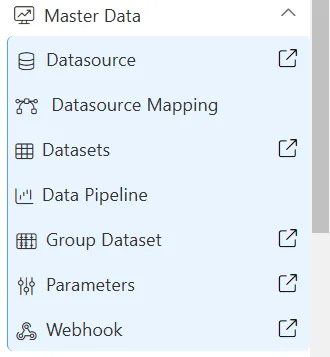
Users can access the Datasource tab by clicking on “Datasource” or by selecting the icon next to the Datasource tab, which opens the Datasource section in a new tab.
Visibility and Privileges
It’s important to note that Datasource and other sections under the Master Data tab are visible based on the user’s privileges. Users with the appropriate privileges can access and manage datasources, ensuring a controlled and secure data integration process.
In summary, the Datasource section serves as a versatile gateway for establishing connections to external databases and data sources, providing users with a range of interfaces to meet their integration needs effectively.
More features of Datasource as follows:
Create Datasource
Edit Datasource
Delete Datasource
Custom Datasource
Data EndPoints Datasource
More features of Master Data as follows:
Create Datasource Mapping
Create Dataset
Group Dataset
Create Parameter
Create Pipeline