Datasource with Google Data Catalog
Google Data Catalog is RDBMS (relational database management system), In AIV we are connecting Datasource with Google Data Catlog JDBC drivers.
To add the Google Data Catalog Datasource JDBC driver with AIV, follow the steps below:
- To get the JDBC driver, Go the vendor’s end and download the (Google Data Catalog-connector-java.jar) Driver file.
-
After downloading the jar file, add it into the AIV.
-
To add Go to the library folder AIV\apache-tomcat-8.5.61\webapps\aiv\WEB-INF\lib folder and add the .jar file here.
Connecting Google Data Catalog Datasource with AIV
-
Go to the Master data section and click on Data Source, as shown in the figure below:
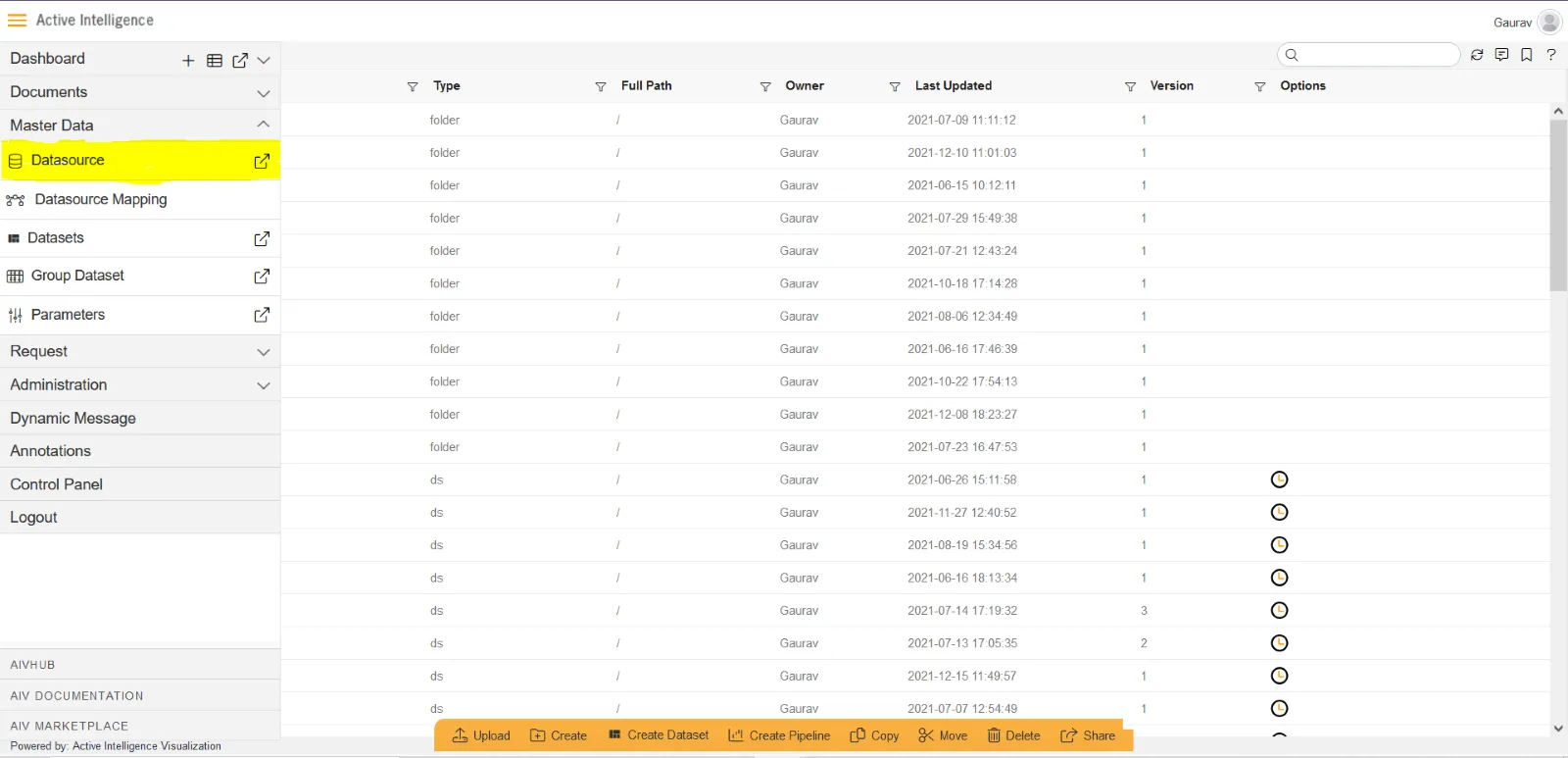
-
Click on Create button from the bottom horizontal menu bar from Datasource section, as shown in the figure below:
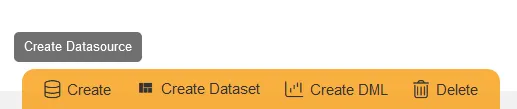
-
The Create Datasource window will open, as shown in the figure below:
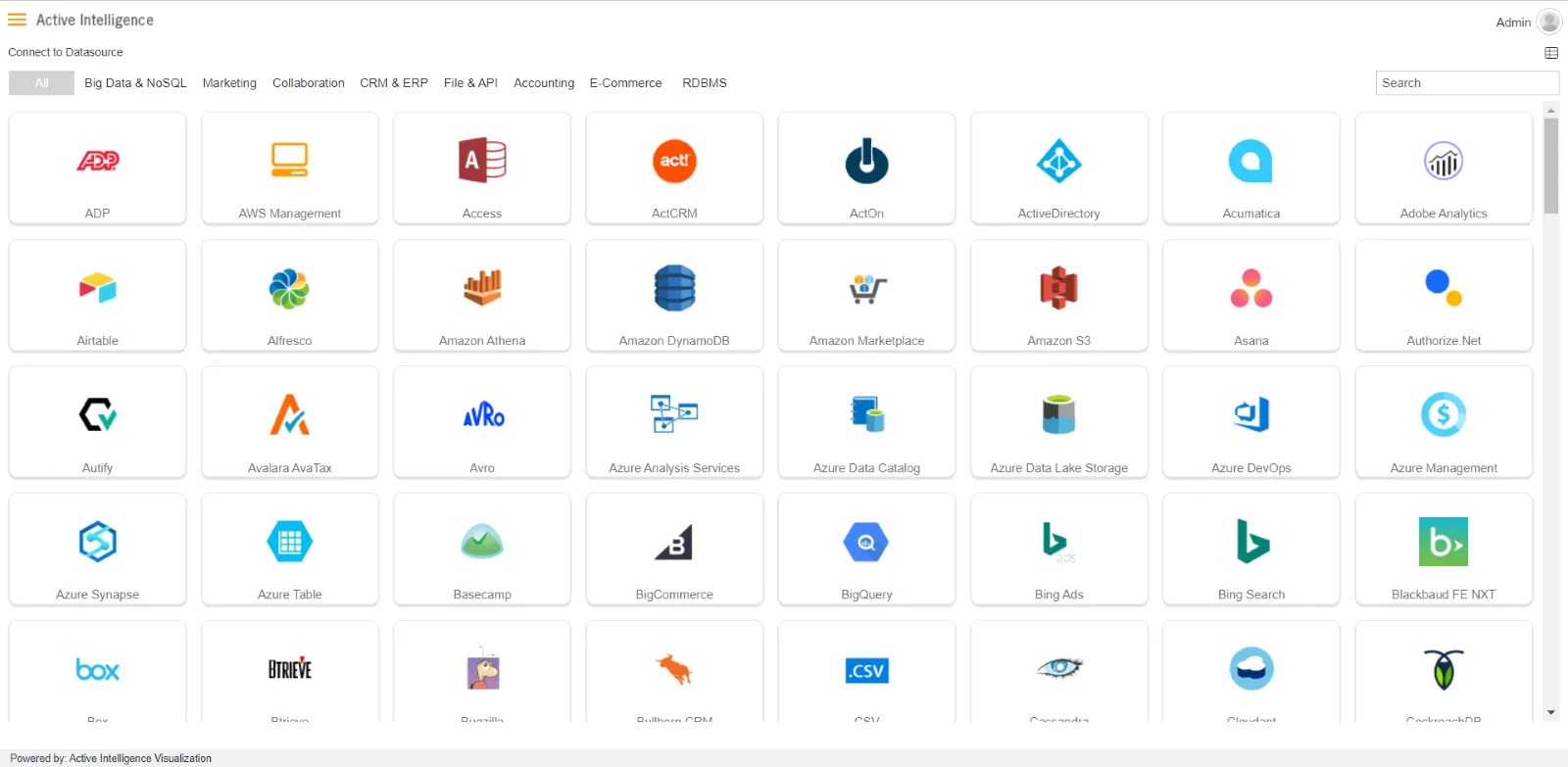
-
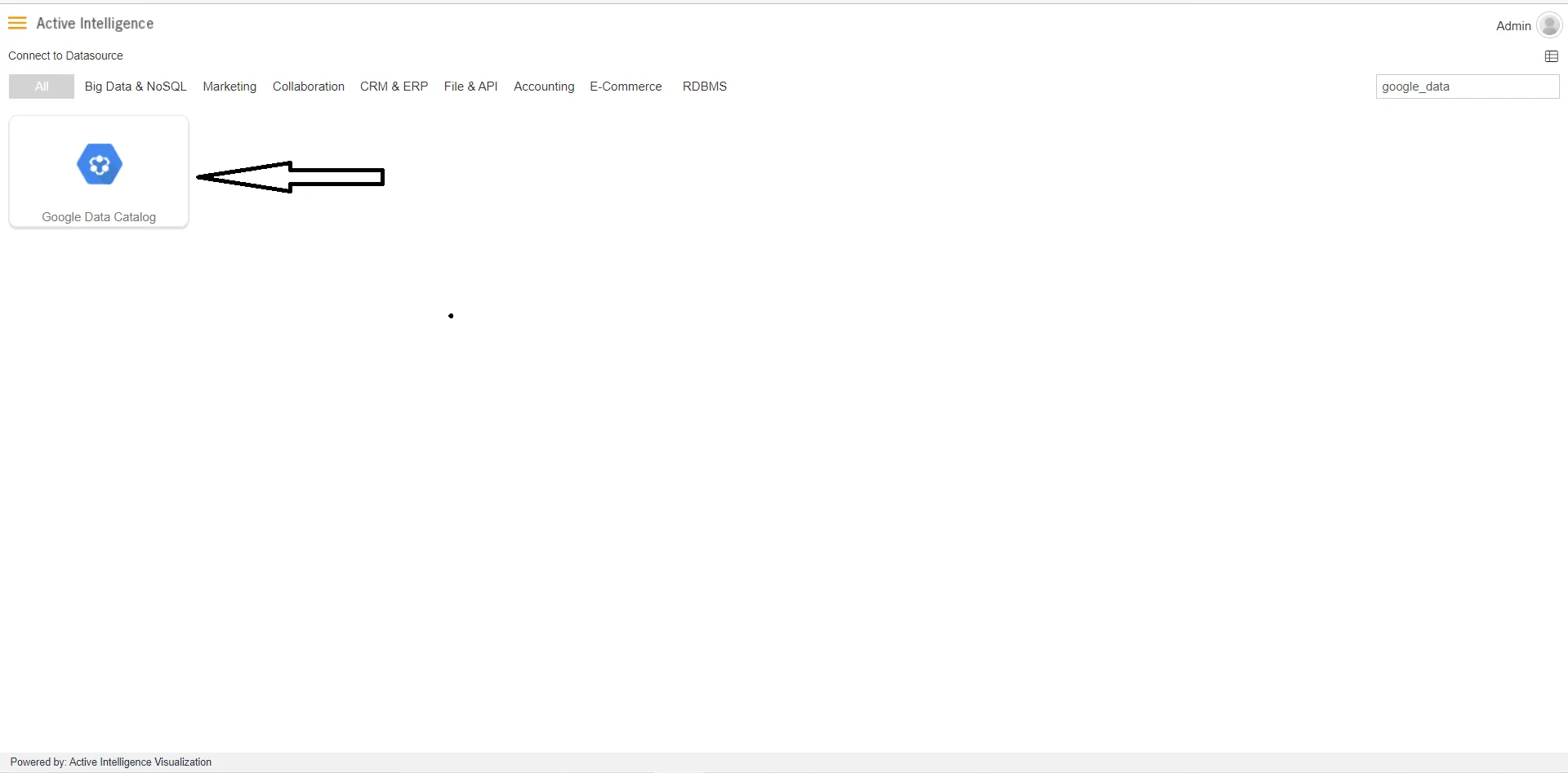
Search for Google Data Catlog data source from Top-right search bar in Datasource section, as shown in the figure below:
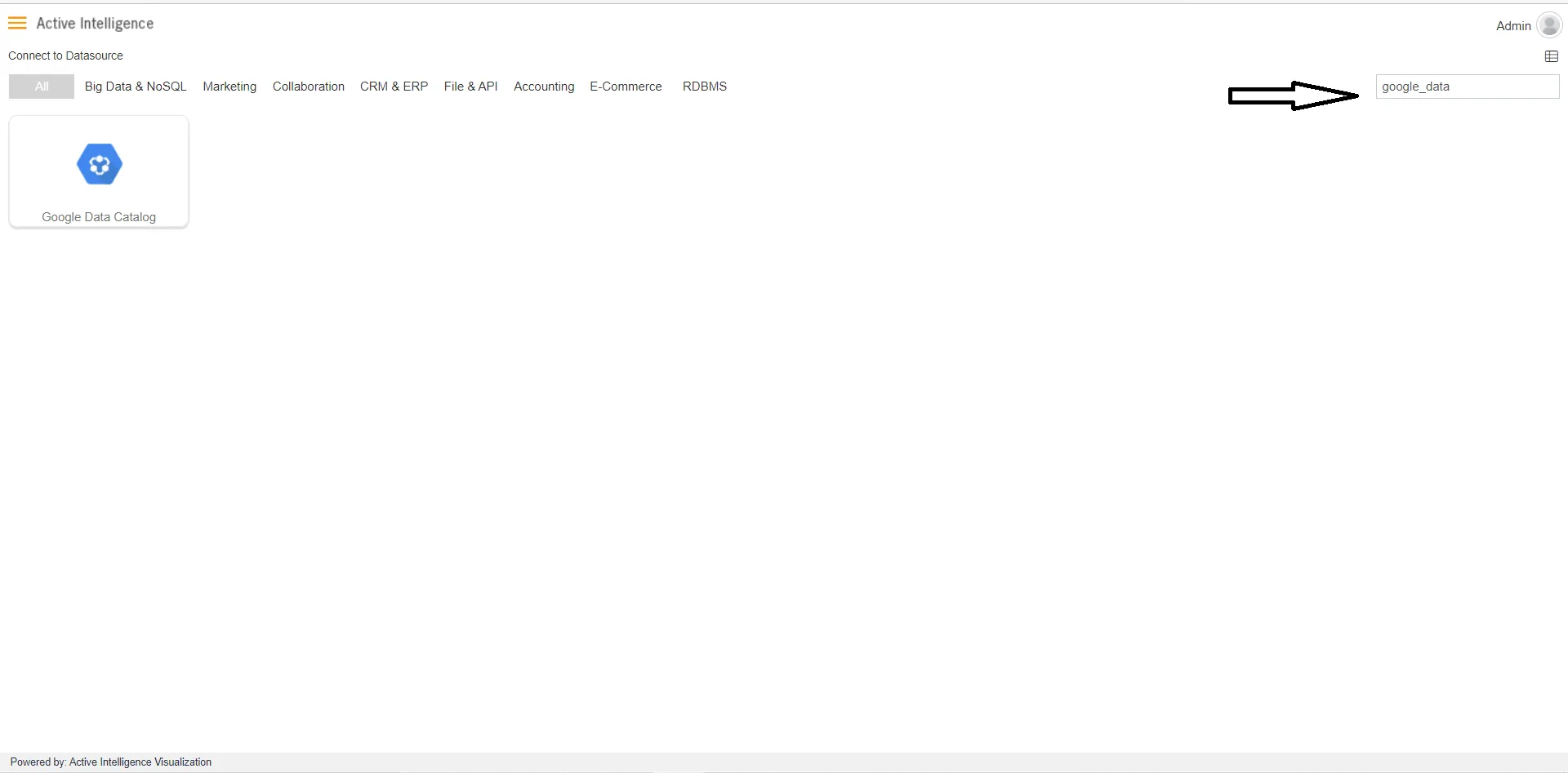
-
Click on Google Data Catlog to create a data source using Google Data Catlog.
-
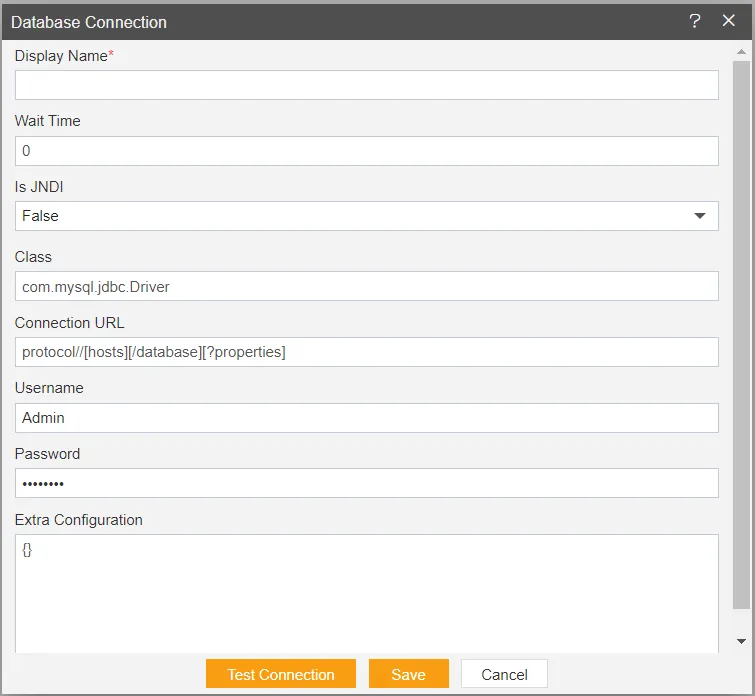
As you click on Google Data Catlog take, the create dialog box will pop-up on screen, as shown in the figure below:
-
Insert the following data in the Datasource connection Dialog box:
-
Enter Display Name: Google Data Catalog [ Add name as per your requirements]
-
Enter Class: com.mysql.jdbc.Driver
-
Enter Connection: protocol//[host][/database][ ?properties] [Add Connection URL as per your Datasource connection]
-
Enter Username: [Provide the username of your Google Data Catalog Datasource]
-
Enter Password: [Enter your respective Google Data Catalog password]
-
-
Click on Test Connection Button to Check Database Connection, after Connection Successful.
-
Click on ok and save button to close the Dialog box.

-
Select the Google Data Catalog DataSource and click on Create Dataset, as shown in figure below:

-
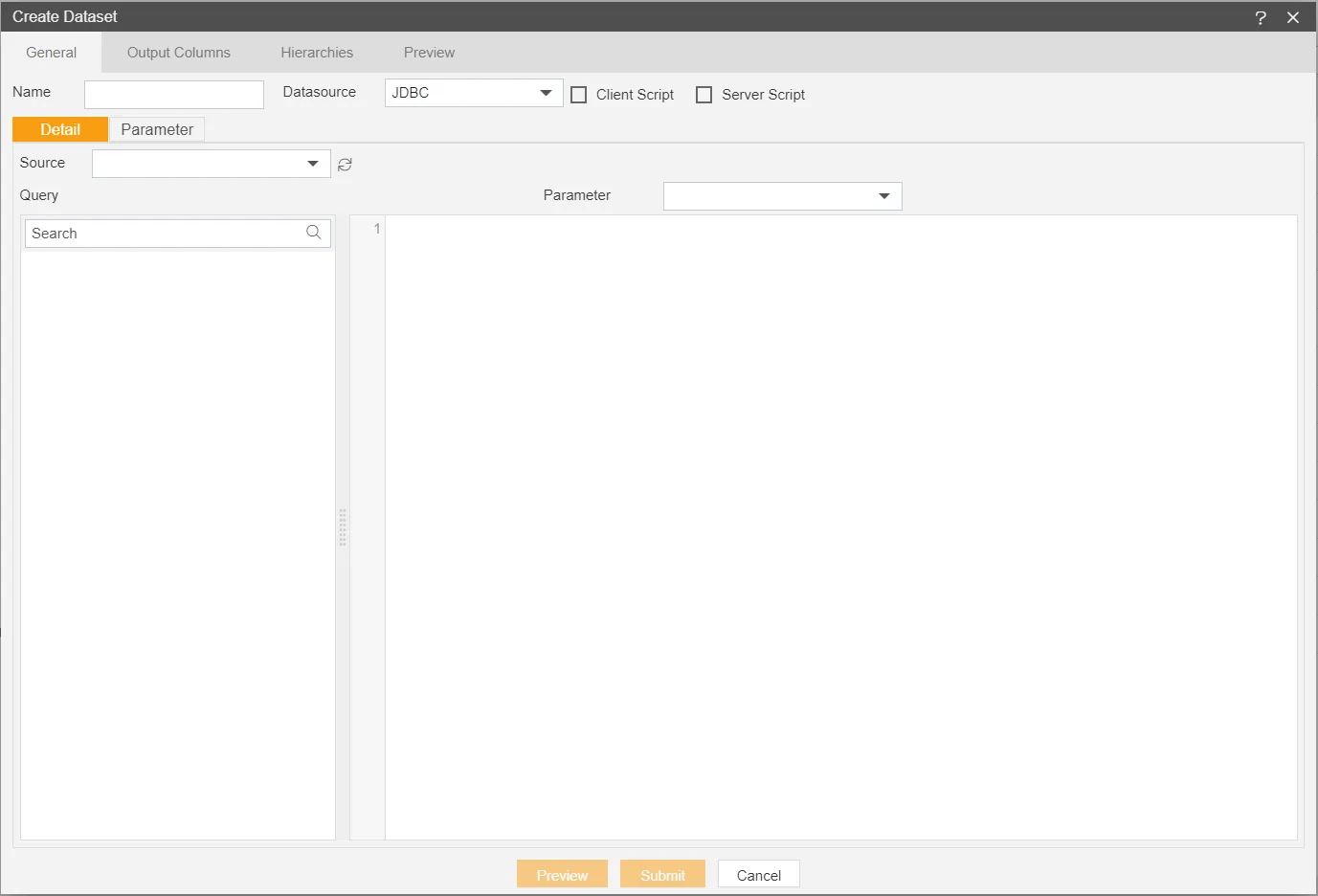
When you click on create Dataset the following screen will be display.
-
Enter the Following details in Dataset.
-
Name: Google Data Catalog (Add name as per your requirements)
-
Source: Google Data Catalog (select the data source which you have created)
-
DataSource: JDBC
-